Manual Review: Your Eyes Are the Quality Gate
From Delegation to Verification
In Lift 1, you learned the Explore → Plan → Implement → Verify workflow. The first three steps are about getting AI to build the right thing. The fourth step — Verify — is where you take ownership of quality.
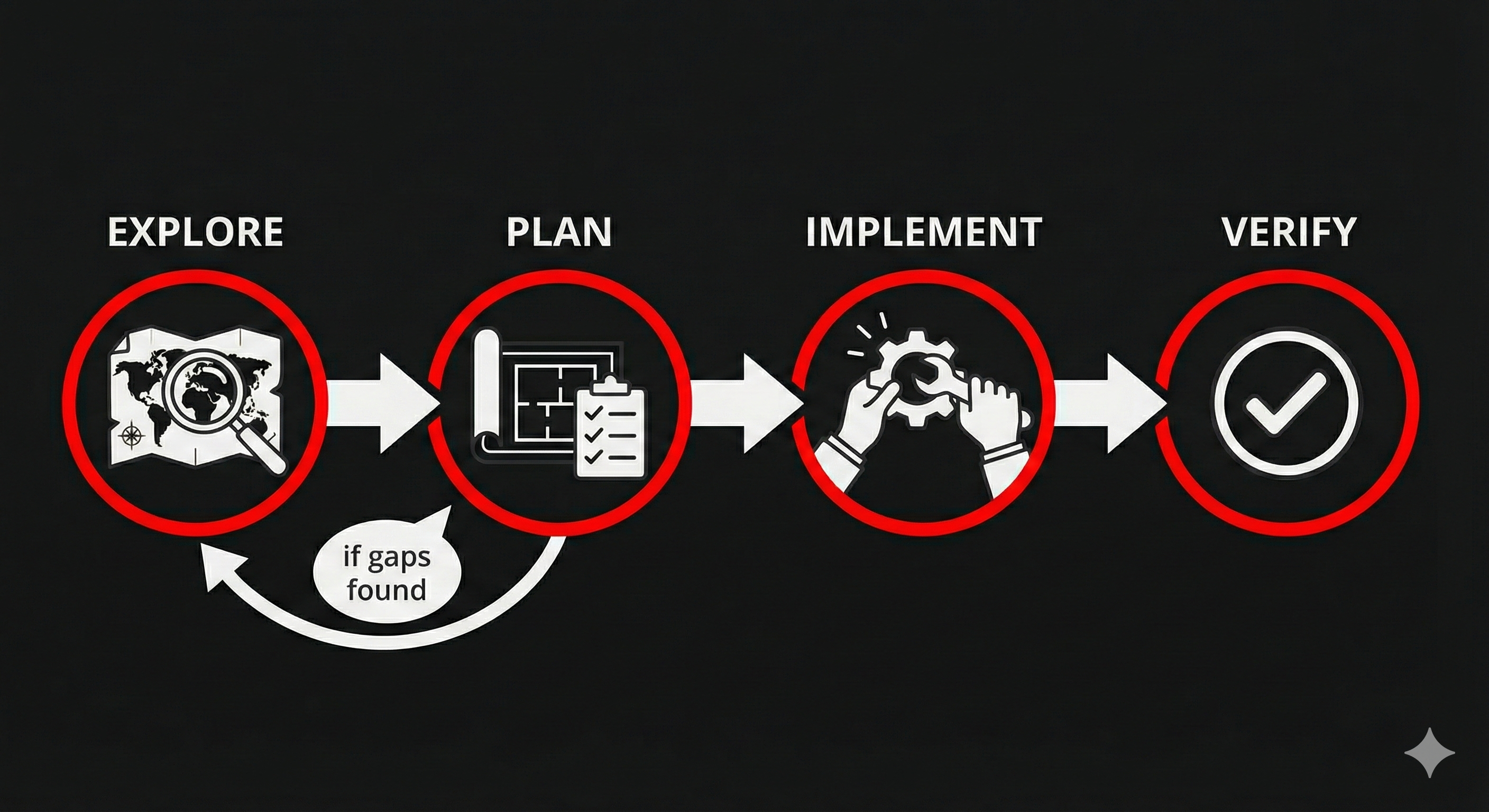
This section is about that fourth step. You've delegated the work. AI delivered something. Now: does it actually satisfy the acceptance criteria you wrote?
Not "does the code look right?" Not "does it seem to work?" But specifically: does each acceptance criterion pass or fail?
The Spinning Loop
Here's what happens when people skip acceptance criteria or write vague ones:
- Ask AI to build something
- Get output that's... okay?
- Give vague feedback: "That's not quite right"
- AI makes changes
- Now it's different but still not what you wanted
- Re-prompt: "Closer, but..."
- Repeat
This is the spinning loop — re-prompting in circles because you never defined what "done" looks like. The problem isn't AI. It's the missing acceptance criteria. Without them, both you and AI are guessing at the target.
The fix is upstream: write acceptance criteria BEFORE you delegate (the Plan step from Lift 1). Then review AGAINST those criteria after AI delivers (the Verify step). No guessing. No "does this feel right." Pass or fail.
Criteria-Based Review
Manual review against acceptance criteria is straightforward:
- Pull up your acceptance criteria — the Given/When/Then statements you wrote before delegating
- Walk through each one — test the actual output against each criterion
- Mark each pass or fail — no partial credit. Either it satisfies the criterion or it doesn't
- For failures, be specific — "AC 3 fails: when I select 'avalanche' as the observation type, the additional fields for aspect and elevation band don't appear"
That specificity is the difference between productive feedback and the spinning loop. "It's not right" sends AI in circles. "AC 3 fails because [specific missing behavior]" gives AI exactly what to fix.
Here's the pattern that makes this work: your acceptance criteria do double duty. In the Plan step, they're your spec — they tell AI what to build. In the Verify step, they're your checklist — they tell you what to check. Same criteria, two purposes. You already wrote them in Lift 1 — now you use them as your verification tool.
What to Look For
When reviewing AI output against acceptance criteria, focus on three things:
Does it do what the AC says? Not what you imagine, not what would be nice — what the acceptance criteria specifically state. If the AC says "observations display in reverse chronological order" and they display in alphabetical order, that's a fail — even if alphabetical might be useful.
Does it handle the "Given" conditions? The Given clause establishes the starting state. If the AC says "Given I'm on the observation form" and the feature only works from the feed view, that's a fail.
Does it stop where the AC stops? If AI added features you didn't ask for, that's scope creep. It might be helpful scope creep, but it's still outside the contract. Review what you asked for first, then decide whether to keep the extras.
Team Activity: Review Against Criteria
Format: Round Robin Time: ~4 minutes Setup: Everyone looks at the same screen. Open your observation network from Run 1 in the browser.
Your team built an observation submission form during Run 1. Now review it against these acceptance criteria — as if someone had written them before the work started:
As a backcountry skier, I want to submit a field observation so that forecasters have up-to-date information about conditions in my zone.
AC 1: Given I'm on the observation form, when I look at the required fields, then I see: date, location/zone, observation type (snowpack, avalanche, weather, red flag), and a description.
AC 2: Given I'm on the observation form, when I select "avalanche" as the observation type, then additional fields appear for aspect, elevation band, and avalanche size.
AC 3: Given I've filled out all required fields, when I click Submit, then my observation appears in the feed with a timestamp and my zone.
AC 4: Given I leave a required field blank, when I click Submit, then the form shows me which fields still need to be filled in.
Step 1: One person takes the reviewer role. Walk through AC 1 out loud: - Read the criterion - Test the actual form in the browser - Call the result: "Pass" or "Fail — here's why"
Step 2: Rotate the reviewer role for each remaining AC. Each person takes one.
Step 3: For any failure, write a specific fix request using this format:
AC fails. Expected: [what the AC says]. Actual: [what happened]. Fix: [specific change needed].
You'll almost certainly find mismatches — your form was built through conversation, not against these specific criteria. That's the point: criteria you write before building produce different results than criteria you check after.
Discuss: How many of the four passed? How is reviewing against specific criteria different from just looking at the form and saying "looks good"? What happens when you have 10 features to review — does this approach scale?
The Honest Tradeoff
Manual review works. It's disciplined, it's thorough, and it catches real problems. But it's also slow. Every feature gets reviewed by hand. Every acceptance criterion gets walked through individually. And when you add a new feature, you might break something you already verified — but you won't know unless you re-check everything.
That tension is real. It doesn't mean manual review is wrong — it means it's the starting point, not the finish line. In Lift 3, you'll learn to turn your acceptance criteria into automated tests that check themselves. But the discipline starts here: manual, criteria-based, pass or fail.
Key Insight
Your acceptance criteria are both the specification (spec) and the test. Write them before delegating (the Plan step), then verify against them after AI delivers (the Verify step). When something fails, point to the specific criterion — that turns vague dissatisfaction into a clear fix target. Your eyes are the quality gate. They won't always be the only gate — but they're the one that matters most right now.
Up next: Run 2 — time to put your decomposed backlog, skills, and review process to work. Build with consistency, verify with discipline, and watch the platform come together.